
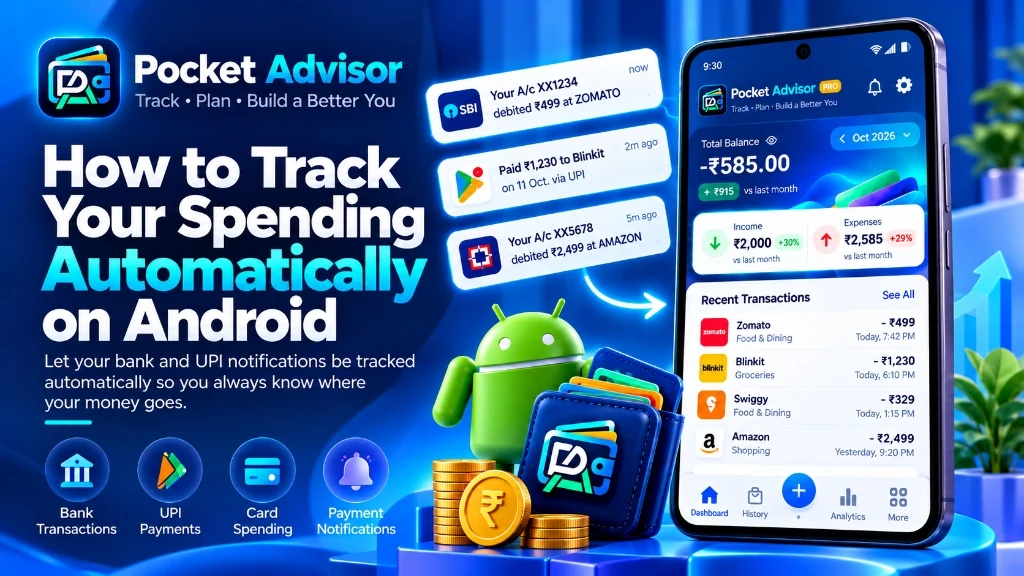
Keeping track of your money sounds easy—until you try to record every coffee, online order, grocery run, and monthly bill. You open an expense app, enter the amount, choose a category, and repeat the whole process the next time you spend. Before long, it starts to feel like another chore. Miss a few days, and your budget may no longer reflect what you actually spent.
That’s where automatic expense tracking can help. A compatible Android app can process supported transaction messages or notifications, extract details, and organize them in your expense history. The source matters: not every app reads SMS, and not every bank sends a usable alert.
You may still need to correct an occasional mistake or add a cash purchase manually. But you won’t have to start from scratch every time you spend money.
What Is Automatic Expense Tracking?
Think of it as keeping your expense records up to date without manually entering every transaction.
When a supported transaction message reaches your phone, an expense tracker may recognize the amount, merchant, date, and transaction type. It can then use those details to create an expense record. Results depend on the message format and the app’s permissions and parsing rules.
Exactly how this works depends on the app. Some process information on your device, while others offer cloud synchronization. Before enabling automatic tracking, check what information the app collects, where it is stored, and which permissions it needs.
How Automatic Expense Tracking Works on Android
The process is fairly straightforward, although it varies between apps and financial providers.
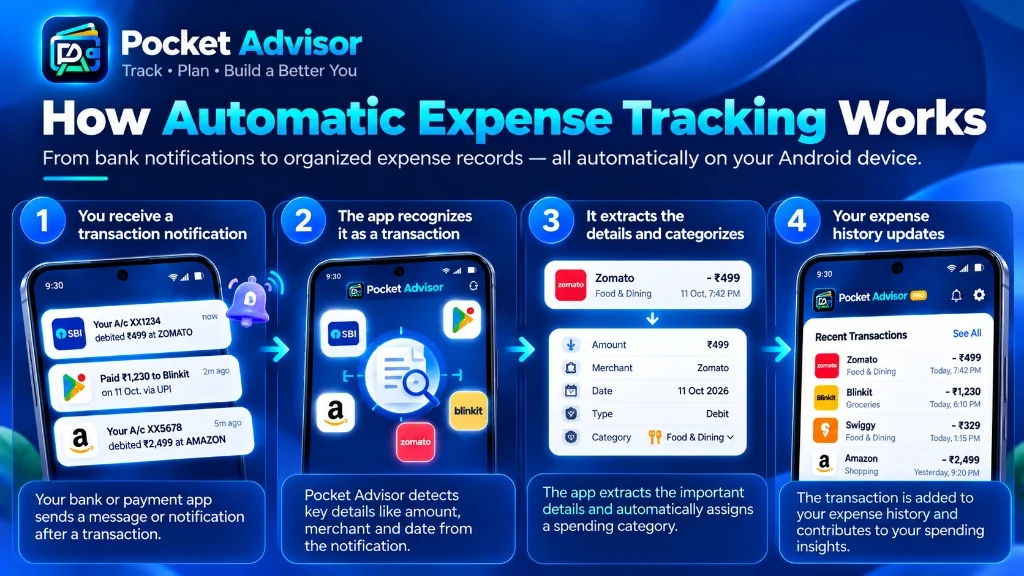
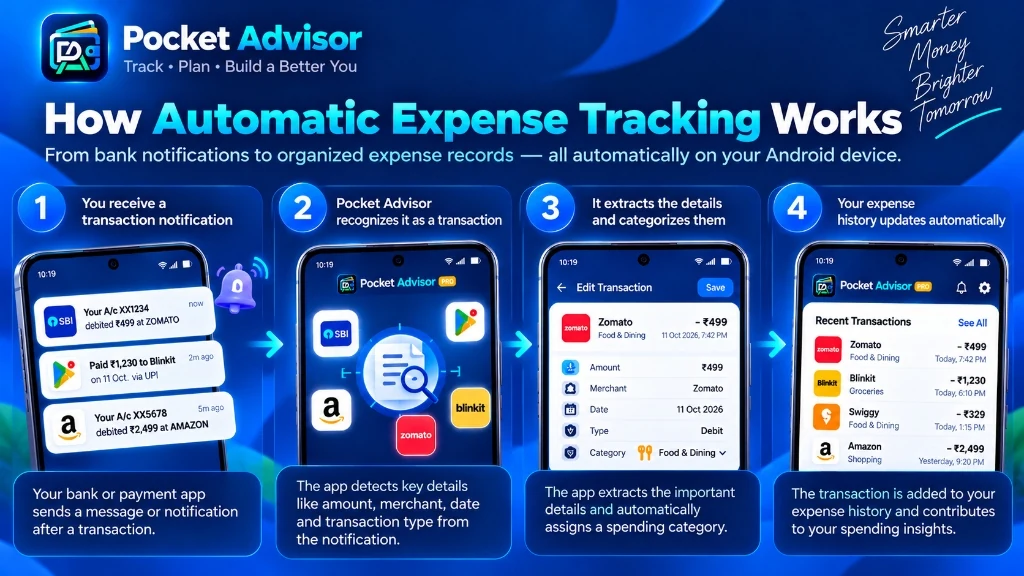
The Automatic Detection Lifecycle
- A supported transaction message arrives
A bank may send an SMS after a payment. Some apps instead use other permitted notification sources. Pocket Advisor's automatic transaction detection depends on supported bank SMS alerts; it does not guarantee coverage of every UPI app or push notification.
- The app recognizes the transaction
The app checks the message for transaction indicators, such as a debit or credit phrase, an amount, and a merchant or recipient. Bank message formats vary and may change.
- It extracts the important details
The parser extracts the fields it can reliably identify, such as amount, merchant text, and date. Some alerts omit useful details or include abbreviated names.
- It assigns a spending category
A category may be suggested from merchant text or rules. Treat it as a suggestion and correct it when needed.
- Your expense history updates
The record appears in the expense history if parsing succeeds. Review for missed entries, duplicates, refunds, and incorrect categories.
A Concrete Example: From Bank SMS to Expense Record
Imagine your bank sends this fictional alert: “INR 450.00 spent at ABC MART on 12 Oct.” A compatible parser may identify ₹450 as the amount, ABC MART as the merchant text, and the date as 12 October. It may suggest Groceries if the merchant matches a category rule.
Before relying on the record, compare it with the original message. If the merchant is abbreviated, the date is missing, or the message reports a reversal rather than a completed debit, correct the entry. A cash purchase—or a transaction for which no supported SMS arrives—still needs manual entry. This example illustrates the workflow; actual bank message formats vary.
6 Steps to Get Started With Automatic Tracking
Best Practice Setup Checklist
- Choose an app that supports your transactions
Look for an Android expense tracker that explains how automatic tracking works. Check whether it supports the banks, UPI apps, and transaction formats you use, and make sure you can edit entries when something looks off.
- Check how your financial data is handled
Your transaction history reveals a lot about your daily life. Before enabling tracking, read the app's privacy policy and look for clear information about local storage, cloud backup, encryption, and data sharing.
- Review the permissions
Read the permission prompt and the app's explanation. Grant only access needed for features you want to use, and confirm the app's current Google Play listing and privacy policy.
- Check your first few transactions
After setup, compare several records against the original bank SMS. Check amount, date, merchant, and category instead of assuming every alert will parse correctly.
- Correct mistakes when they happen
A bank alert might contain an unfamiliar merchant shorthand or unusual formatting. If the app categorizes it incorrectly, update the category and save custom rules for repeat merchants.
- Look for spending patterns
The real benefit isn't simply a longer transaction list—it's understanding where your money goes. Review your monthly totals, category breakdowns, and recurring expenses to optimize your budget.
What Can Be Tracked Automatically?
Depending on the app and the financial services it supports, automatic tracking may cover:
Supported Transaction Types
- ✓ Everyday purchases when the bank sends a supported transaction SMS
- ✓ Bank account debits and credits included in supported SMS alerts
- ✓ Transactions represented in supported bank SMS alerts (including eligible UPI or card payments)
- ✓ Peer-to-peer transfers when represented in a supported bank SMS
- ✓ Recurring bills only when a supported transaction alert is received
- ✓ E-commerce purchases when the bank sends a supported transaction SMS
Automatic vs. Manual Expense Tracking
Manual tracking gives you complete control over every entry, but relies heavily on memory and discipline. Automatic tracking eliminates the daily administrative friction while allowing you to review and adjust.
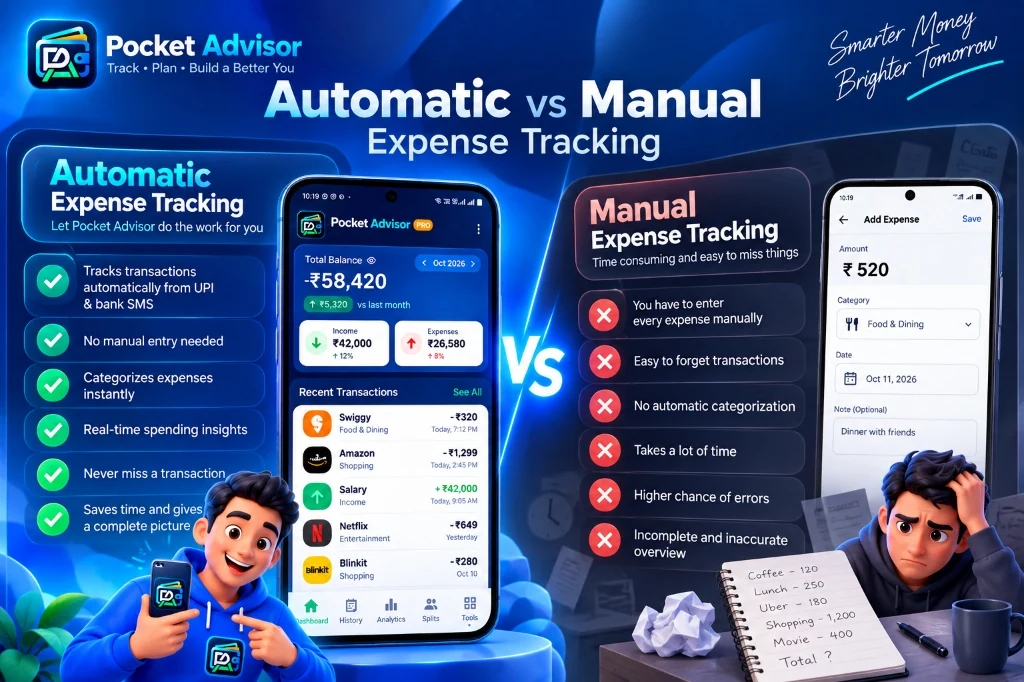
| Dimension | Automatic Tracking | Manual Tracking |
|---|---|---|
| Effort Required | Less manual entry for supported digital transactions; review still needed | Enter each transaction yourself |
| Omission Risk | Unsupported, delayed, or absent SMS alerts can be missed | Entries can be forgotten if not logged |
| Categorization | Suggested from message or merchant patterns; may need edits | Choose a category during entry |
| Accuracy for Cash | Cash purchases still need manual entry | Can record cash directly |
| Time Commitment | Depends on transaction volume and review habits | Depends on how often and how much you spend |
| Best Suited For | People whose banks send supported SMS alerts | People who prefer manual control or mostly use cash |
How Accurate Is Automatic Expense Tracking?
Accuracy depends on the transaction source and how well the app recognizes its format. One bank might include a clear merchant name, while another sends an abbreviated description. Providers can also change their notification formats, which may affect detection.
How to Categorize Bank Transactions Automatically
Automatic categorization usually relies on information such as the merchant name, transaction text, payment context, or rules you've set.
For example, a recognizable supermarket might be categorized as Groceries, while a ride service could be listed under Transport. Of course, the app won't always know exactly what a transaction was for. Being able to change the category is important because your budgets and reports are only as useful as the information behind them.
Is Automatic Expense Tracking Safe?
It can be, but convenience shouldn't be your only consideration. Transaction notifications may contain sensitive financial details, so take time to understand how an app handles them before enabling access.
Key Questions Before Enabling Tracking Access
- ✓ What financial information does the app collect?
- ✓ Is data stored locally on your device or sent to remote servers?
- ✓ Is the on-device database encrypted (e.g. SQLCipher AES-256)?
- ✓ Are cloud backups strictly optional and user-controlled?
- ✓ Can you delete your data and account at any time?
For a more India-focused walkthrough, read our guide to tracking UPI payments automatically, including practical limits and missed-alert handling.
How Pocket Advisor Can Help
Pocket Advisor is designed to reduce manual expense entry on Android. It processes supported bank SMS alerts on-device and stores transaction records in an encrypted local database. Detection depends on the bank's message format and delivery, so review your ledger and add missing transactions when needed.
Other features include spending insights, shared-bill splitting, EMI and SIP calculators, home-screen widgets, and AI-assisted financial guidance. Cloud backup is optional; online AI features may communicate with their service provider when used.
Take Control of Your Spending Automatically
Track supported bank SMS alerts with on-device parsing and encrypted local transaction storage. Cloud backup is optional; online AI features may communicate with their service provider when used.
Get Pocket Advisor on Google Play →What About Users Outside India?
Automatic expense tracking isn't limited to a single payment network, but whether it works for you depends on the transaction formats your bank or payment provider uses. Banks around the world send different types of notifications, so compatibility can vary. The ability to edit transactions is particularly useful when merchant descriptions are unfamiliar or formatted differently.
Who Benefits Most From an Automatic Expense Tracker?
Automatic tracking can help anyone who wants to understand their spending without turning budgeting into a daily administrative task. Students, professionals, families, freelancers, and people who make frequent digital payments may all benefit. You won't have to enter every supported digital payment by hand.
Authoritative Android and Google Play References
For the platform rules behind permission prompts, review the Android team’s permissions guidance. For apps that request access to SMS or call-log data, consult Google Play’s SMS and Call Log permissions policy. These sources explain platform requirements; they do not guarantee that any particular bank’s message format is supported.
Final Thoughts
You shouldn't have to remember every small purchase just to understand your finances. Automatic expense tracking on Android can take care of much of the repetitive work by recognizing supported transaction notifications and organizing the details for you. If you'd rather spend less time logging purchases and more time understanding your spending, an automatic expense tracker is worth considering.